Google Drive Alternative for Secure Links (2026) | Sendpaper

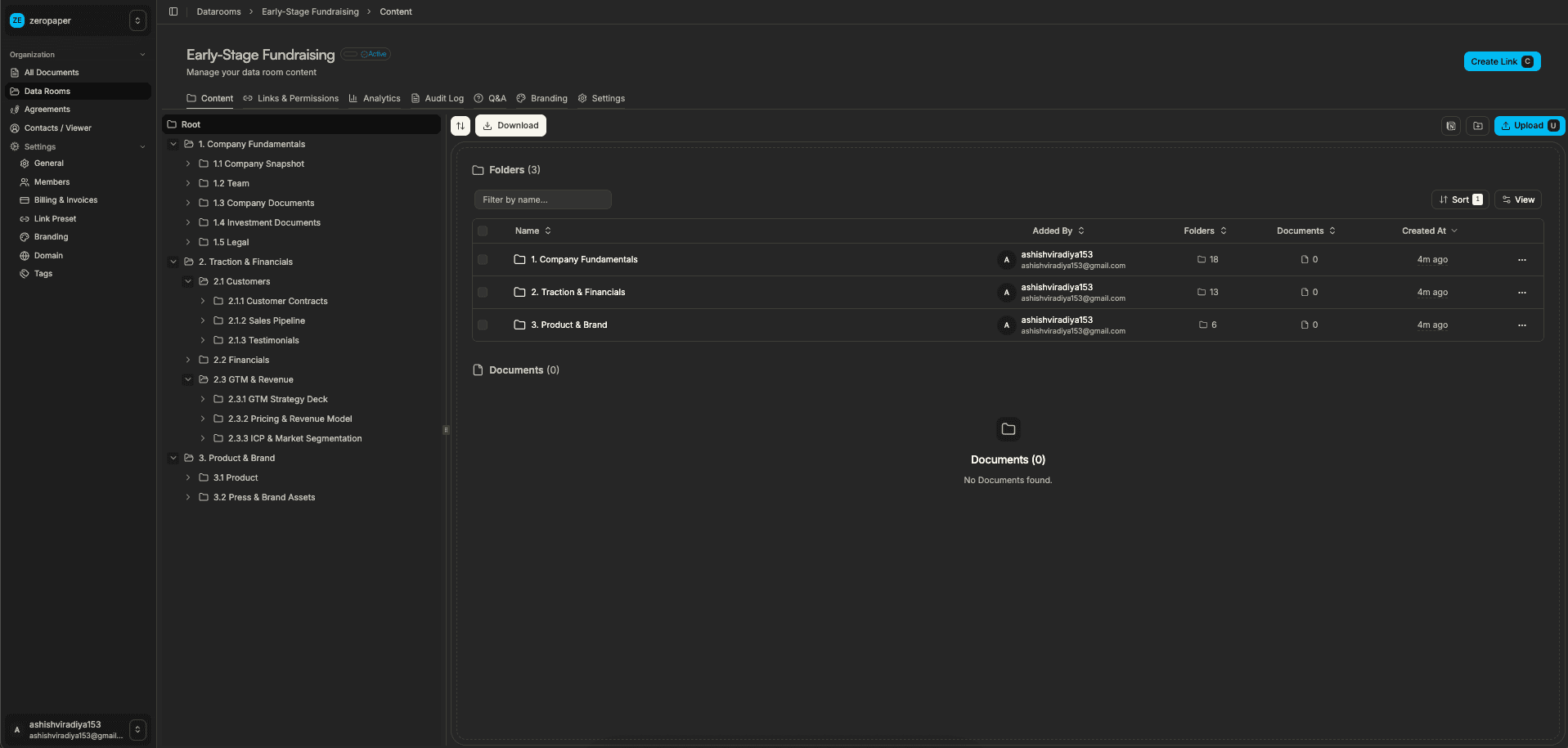
If you need secure document links with analytics but Google Drive's sharing and permissions are too basic, Sendpaper is a focused alternative. Google Drive is built for file storage and collaboration. Sendpaper is built for secure document sharing with document analytics: who opened your link, when, and how long per page. Access control: password, link expiry, email allow list. Data rooms when you need them. This guide explains when Sendpaper fits.
When a Google Drive Alternative Makes Sense
Google Drive is great for storage and collaboration. But some teams need:
Document Analytics
Google Drive does not show who viewed a shared link, when, or how long. Sendpaper provides document analytics and notifications. Track pitch decks, proposals, and data room activity.
Stricter Access Control
Drive links can be open or restricted. Sendpaper adds password, link expiry, email allow list, and view-only. One place for link settings.
Data Rooms
For fundraising and M&A, you need structured data rooms. Sendpaper offers virtual data rooms with Q&A, audit logs, and in-document search.
What Sendpaper Offers as a Google Drive Alternative
Secure Links With Analytics
- Access control - Password, link expiry, email allow list, email protection.
- Document analytics - Who opened, when, from which device, time per page. Local-first: once data loads, no loaders on repeat views; new data updates in background. Notifications.
- View-only - Restrict download. Encryption at rest and in transit.
Data Rooms
Virtual data room with granular permissions, Q&A, audit logs. In-document search.
Not a General Storage Replacement
Sendpaper focuses on sharing and analytics. Use Drive (or similar) for general file storage. Use Sendpaper for secure links and document analytics.
Google Drive vs Sendpaper: Complete Feature Comparison
Compare Google Drive and Sendpaper. View full pricing →
| Feature | Sendpaper Free | Sendpaper Dataroom Pro | Google Drive (Personal) | Google Workspace |
|---|---|---|---|---|
| Pricing | $0/mo | Paid | $0 (15 GB) | $6-18/user/mo |
| Focus | Sharing + analytics | Sharing + analytics | Storage + collaboration | Storage + collaboration |
| Page-by-page analytics | Yes | Yes | No | No |
| Who viewed | Yes | Yes | No | Limited |
| Data rooms | 0 | Unlimited | No | No |
| In-document search | No | Yes | No | No |
| Password protection | Yes | Yes | No | No |
| Link expiry | Yes | Yes | No | No |
| Email allow list | No (Personal Pro+) | Yes | No | No |
| Open source | Yes | Yes | No | No |
| Self-hosting | Yes | Yes | No | No |
Key difference: Drive is built for storage and collaboration. It does not offer page-by-page analytics for shared links or password protection on links. Sendpaper is built for document analytics and access control with data rooms when you need them.
Plan Differences Explained
Free Plan
Sendpaper Free gives 49 documents and 49 links with page-by-page analytics, password, and link expiry. Google Drive gives 15 GB storage but no analytics for shared links. Use Sendpaper when you need to see who viewed your deck.
Analytics and Access Control
Drive shows basic activity (who shared, who edited) but not who viewed a shared link or how long per page. Sendpaper provides document analytics and access control: password, expiry, allow list. For pitch decks and proposals, Sendpaper is the stronger choice.
Data Rooms
Drive has no dedicated data room features. Sendpaper offers virtual data rooms with Q&A, audit logs, and in-document search.
Everything You Need in a Google Drive Alternative (for Analytics)
- Page-by-page analytics - Who opened, when, from which device, time per page. Drive does not offer this.
- Local-first analytics - Once data loads, no loaders on repeat views. New data updates in background. Drive does not have analytics for shared links.
- Access control - Password, link expiry, allow/block list. Drive links are open or restricted.
- Data rooms - Virtual data room with Q&A, audit logs.
- In-document search - In-document search on Dataroom Pro+.
- View-only - Restrict download. Encryption at rest and in transit.
- Open source - Inspect the code, self-host. Drive is proprietary.
When to Choose Sendpaper
Choose Sendpaper when you need document analytics (who viewed, how long), stricter access control (password, expiry, allow list), and data rooms. Use Drive for general storage and collaboration.
When Google Drive Might Work
Drive could work when you need unified storage, real-time collaboration, and Google Workspace integrations. Drive does not offer page-by-page analytics or password-protected shared links.
Dataroom demo video
See how to create a data room, upload folders, set permissions, and share one link.
Page-by-page analytics and in-document search (video)
See page-by-page analytics and in-document search inside the viewer.
Page-by-page analytics and in-document search in the Sendpaper viewer.
Conclusion
Sendpaper is built for document analytics and access control. Drive is built for storage and collaboration. For pitch deck tracking, proposals, and due diligence, Sendpaper is the stronger Google Drive alternative.
How to Get Started
- Sign up free - no credit card.
- Upload your document and create a link.
- Configure access control and share.
- View analytics when someone opens.
Documents and Links by Plan
The table below is a guide; see Pricing for the latest.
| Plan | Documents | Links | Data rooms |
|---|---|---|---|
| Free | 49 | 49 | 0 |
| Personal Pro | 300 | Unlimited | 0 |
| Advance | 1,000 | Unlimited | Unlimited |
| Dataroom Pro | Unlimited | Unlimited | Unlimited |
Open source, transparency, and licensing
Sendpaper is open source: you can inspect the code and self-host for full control. We also offer licensing and hosted options for teams that need enterprise support or prefer not to run the stack themselves. For questions about licensing, open source hosting, or self-hosting, contact us and we'll help you choose the right option.
Related Resources
Frequently Asked Questions
Related posts
- CompareBest Ansarada Alternative for Virtual Data Rooms (2026) | SendpaperAnsarada alternative for M&A and due diligence. Affordable VDR with in-document search, local-first analytics, and audit logs. No lock-in for startups and SMBs.
- CompareBox Alternative for Document Analytics (2026) | SendpaperBox alternative for document sharing with analytics. Pitch deck tracking, data rooms, and access control. Focused on secure sharing and insights.
- CompareBest Brieflink Alternative for Pitch Deck Sharing (2026) | SendpaperBrieflink alternative with pitch deck analytics, data rooms, and in-document search. Secure document sharing for startups and investors. Open source, free plan.