
Basic and advanced watermark control for shared documents.

Document watermarking that deters copying and traces leaks.

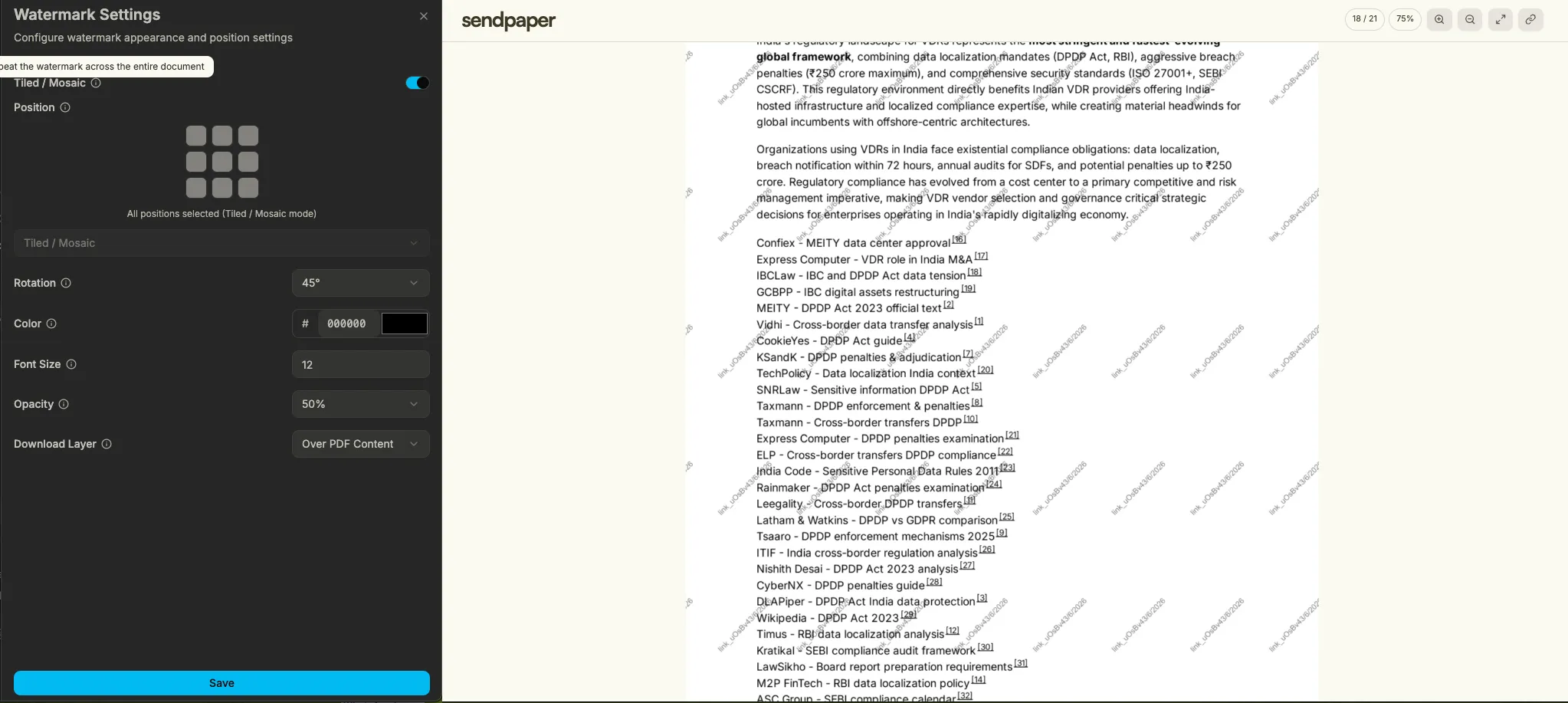
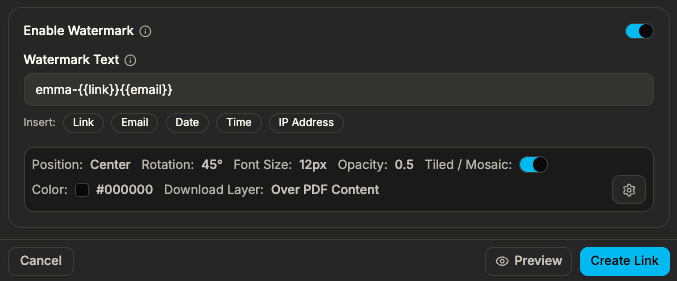
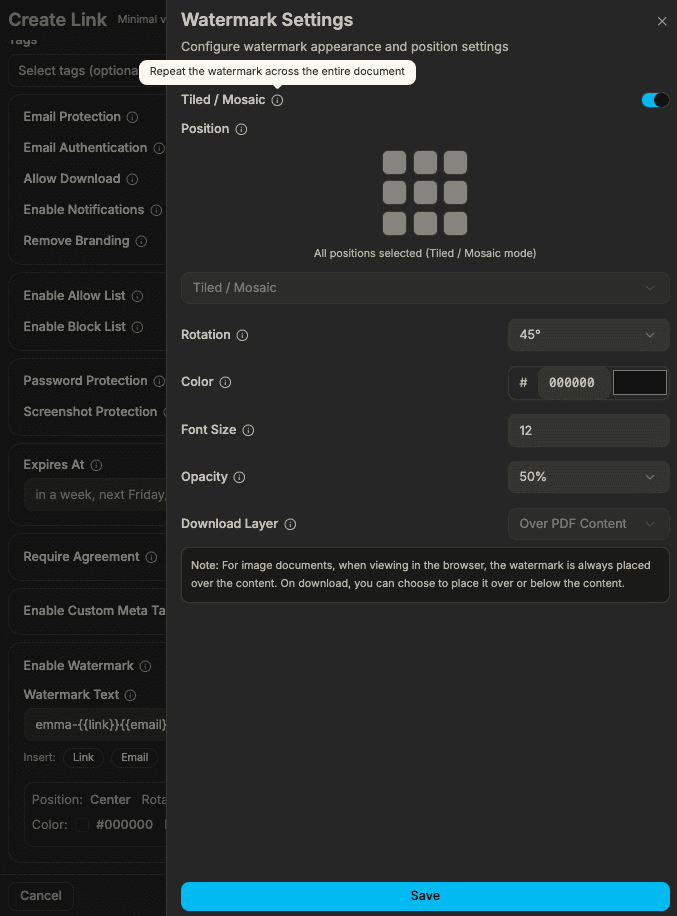
Configure position, rotation, color, and opacity. Use tiled or single placement, set watermarks per link, and optionally apply them on download. Add viewer identity to the watermark so you know which link was used if content leaks.

No credit card required.
Watermark settings and document viewer with watermark overlay

What you get with watermarking.

01 feature folder

Position and rotation

Set where the watermark appears and its angle. Full control in link or room settings.

02 feature folder

Tiled or single

Choose tiled (repeated across the page) or single placement. Per-document in the app.

03 feature folder

Color and opacity

Adjust font size, color, and opacity. Style the watermark to match your brand or stay subtle.

04 feature folder

Per-link control

Turn watermarks on or off per link. Some links show a watermark; others stay view-only.

05 feature folder

Watermark on download

Apply the same watermark to any file viewers save. Protection on screen and on export.

06 feature folder

Viewer identity

Add viewer email or ID to the watermark text. Trace leaks back to the link or person.

How watermarking works

Add docs, enable and configure watermarking (and optional domain), then share. Viewers see watermarks on screen and on download; you get analytics and, in data rooms, audit logs.

Watermark options for document links
Watermark settings: position, style, placement, and domain

1. Add docs and enable watermarking (domain can be configured)

  • Upload documents and enable watermarking in your link or room settings.
  • Configure position, rotation, style, tiled or single placement, and optional viewer identity in the text.
  • Set a custom domain so links match your brand.
Document viewer with visible watermark and download option

2. Viewer sees watermark on screen and on download

  • When viewers open the link, the watermark is visible in the browser.
  • If you enable watermark on download, the same protection is applied to any file they save.
  • Real watermarking (unlike Papermark or DocSend) so every view and export is protected.
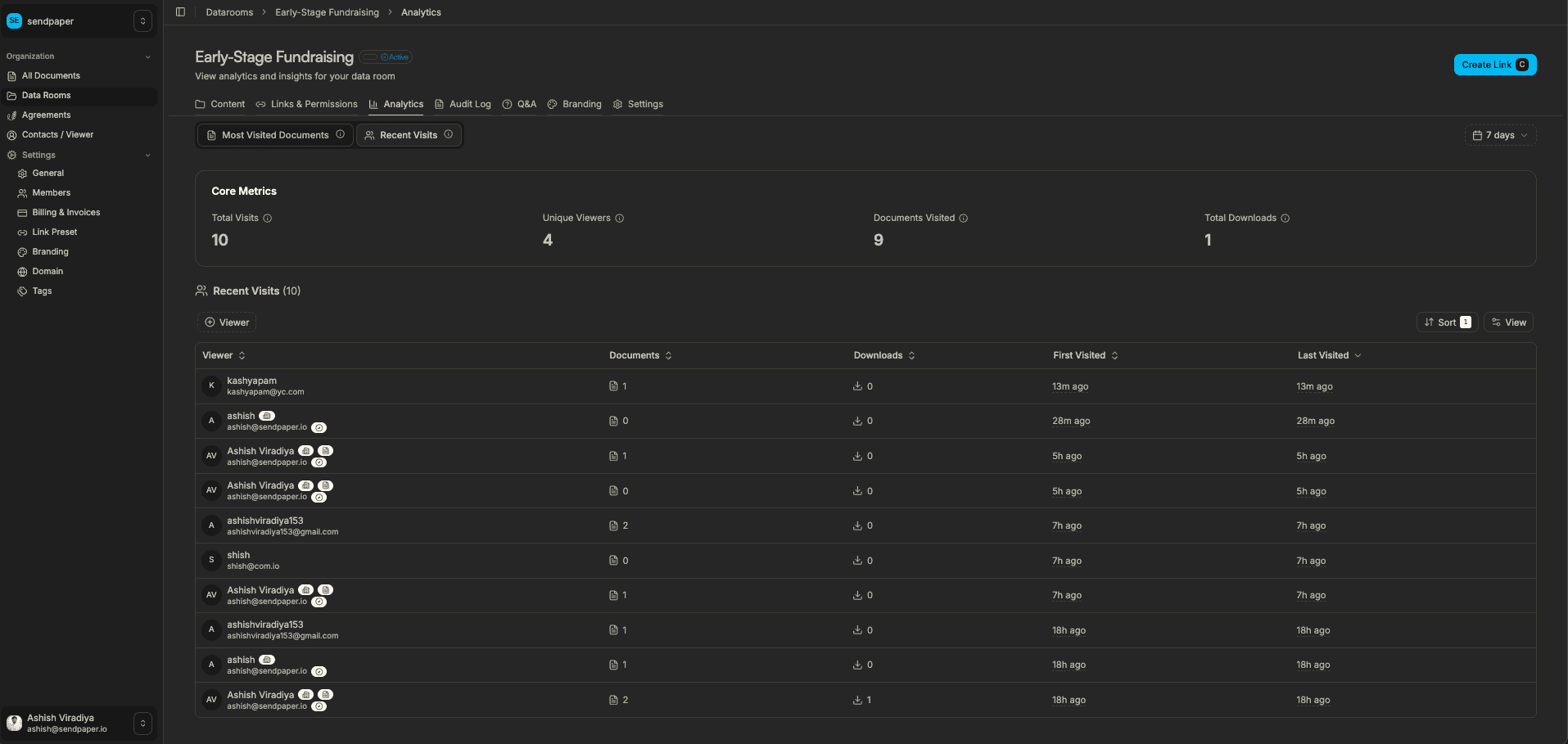
Analytics and recent visits for watermarked links

3. Get analytics (per-page and, in data rooms, audit log)

  • See who viewed and when.
  • Analytics are per page; in a data room you also get full audit logs and room-level analytics.
  • Per-link visibility for every shared link.

See watermarking flow in action

sendpaper.io

Ready to protect your documents with watermarks?

Benefits of watermarking

Deter copying and sharing

Visible watermarks make it clear that content is confidential and traceable. Viewer-specific text discourages leaking and helps you identify the source if it happens.

Flexible and consistent

Set watermarks once and reuse with presets. Adjust per link when you need different levels of protection for different parties.

Protection on and off screen

Apply watermarks on screen and on download so both the in-browser view and any saved copy stay protected.

Frequently Asked Questions

What can I customize in the watermark?

You can set position, rotation, font size, color, and opacity. Choose tiled (repeated across the page) or single placement. Watermark text can include viewer identity (e.g. email) so you can trace leaks.

Can I turn watermarks on or off per link?

Yes. Each share link can have its own watermark settings. Some links can show a visible watermark; others can be view-only without a watermark. You control it per link and per document.

Does the watermark appear on downloaded files?

You can choose to apply the watermark on download so that any saved copy carries the same protection. On-screen watermark can also be enabled or disabled independently so you control both view and export.

How do viewer-specific watermarks work?

When viewers open a link, you can set the watermark text to include their email or another identifier. If the document is shared or leaked, the watermark helps you see which link or viewer it came from.

Get early access

Protect sensitive documents with configurable watermarks.