Email Authentication for Document and Data Room Links | Sendpaper

Require viewers to verify their email with a one-time code before they open your document or data room link.
When you share a document or data room link, you can require that every viewer prove they have access to a specific email address before they see anything. You turn on email authentication when you create or edit the link; viewers then enter their email, receive a one-time code, enter it, and only after that can they open the document or full data room. No account or app required on their side.
Why Use It
Links get forwarded. Without a gate, anyone with the URL can open the content. Email authentication ties access to an inbox: the viewer must receive a code at the address they enter. You get a verified email for every view in your analytics and audit trail, and you reduce casual sharing or wrong recipients opening the link.
Email authentication by plan
Email OTP authentication is available on Advance and above (Dataroom Pro, Dataroom Advance, Enterprise). The table below is a guide; see Pricing for the latest.
| Plan | Email OTP authentication |
|---|---|
| Free | No |
| Personal Pro | No |
| Advance | Yes |
| Dataroom Pro | Yes |
| Dataroom Advance | Yes |
| Enterprise | Yes |
Upgrade to Advance or a Dataroom plan to turn on email authentication for your links.
How It Works
When you create or edit the link: Enable the option (e.g. "Email authentication" or "Require email verification") in your link settings. You can use it on a single-document link or on a data room link. It can be combined with other options (e.g. password, expiry, NDA). If you use a custom domain for your links (e.g. docs.yourcompany.com), the email authentication flow runs on your branded URL so viewers see your domain when they enter their email and code.
When a viewer opens the link:
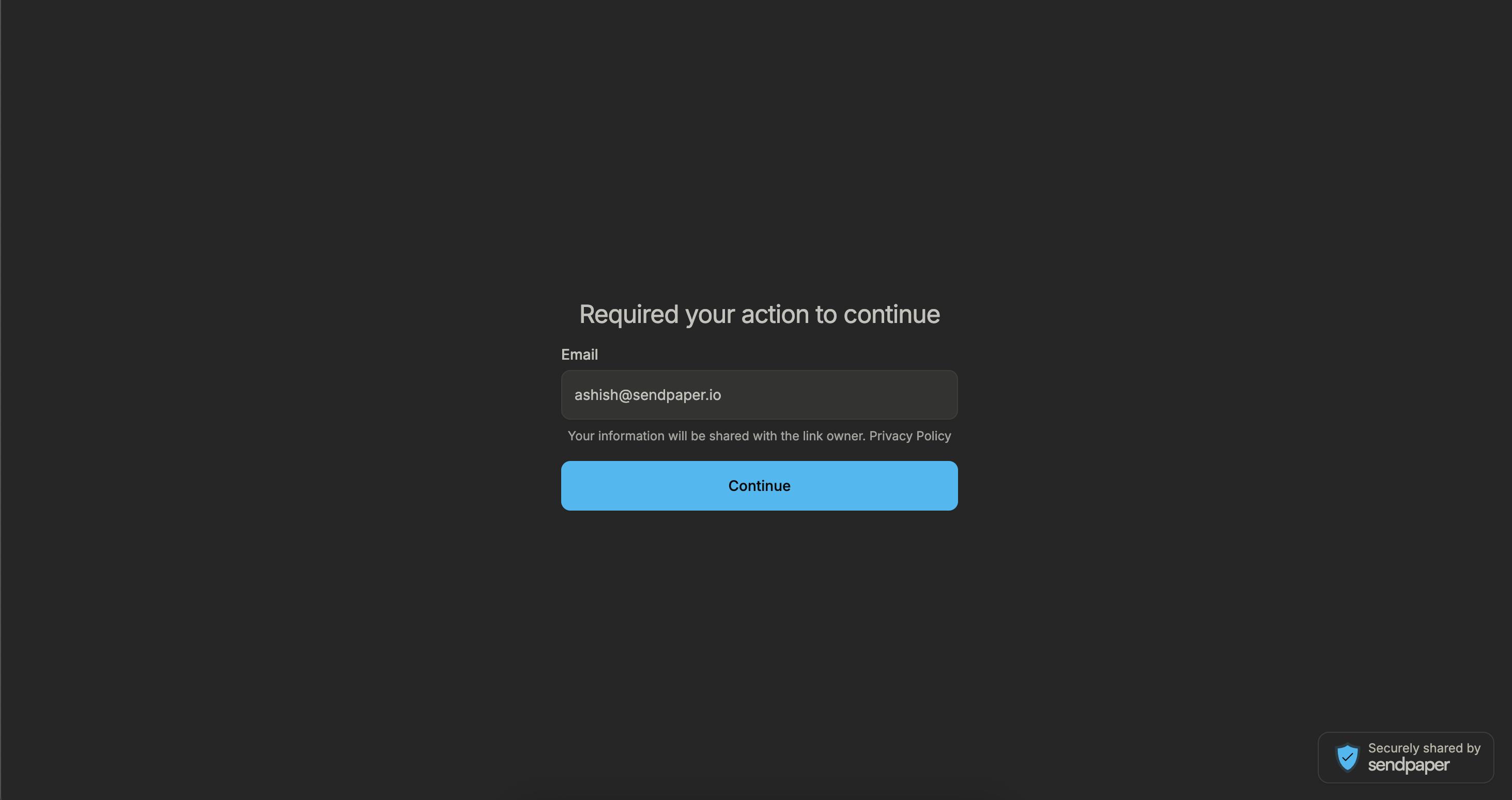
- They are asked for their email and submit it.
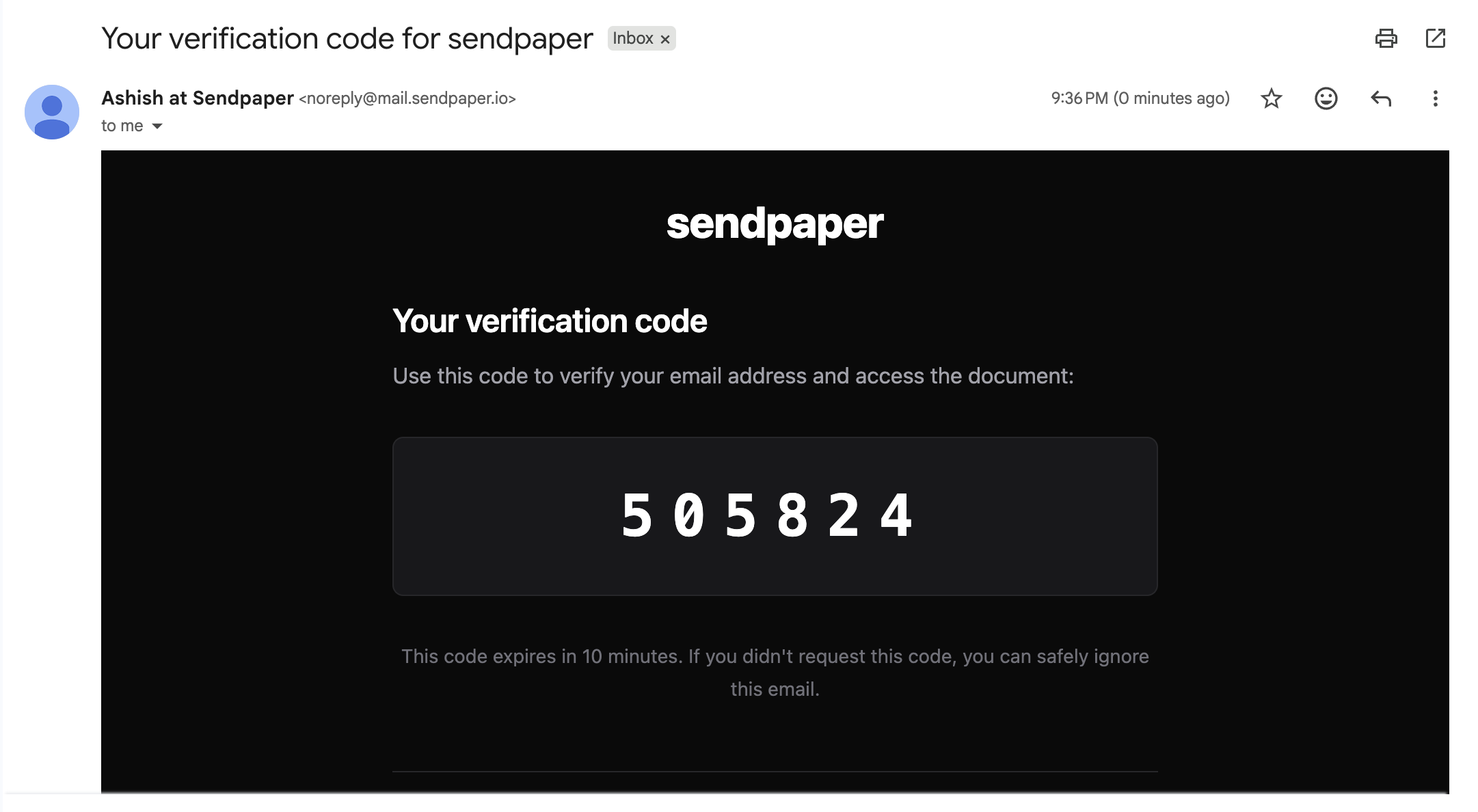
- A one-time code is sent to that email (the code expires after a short window, e.g. 10 minutes).
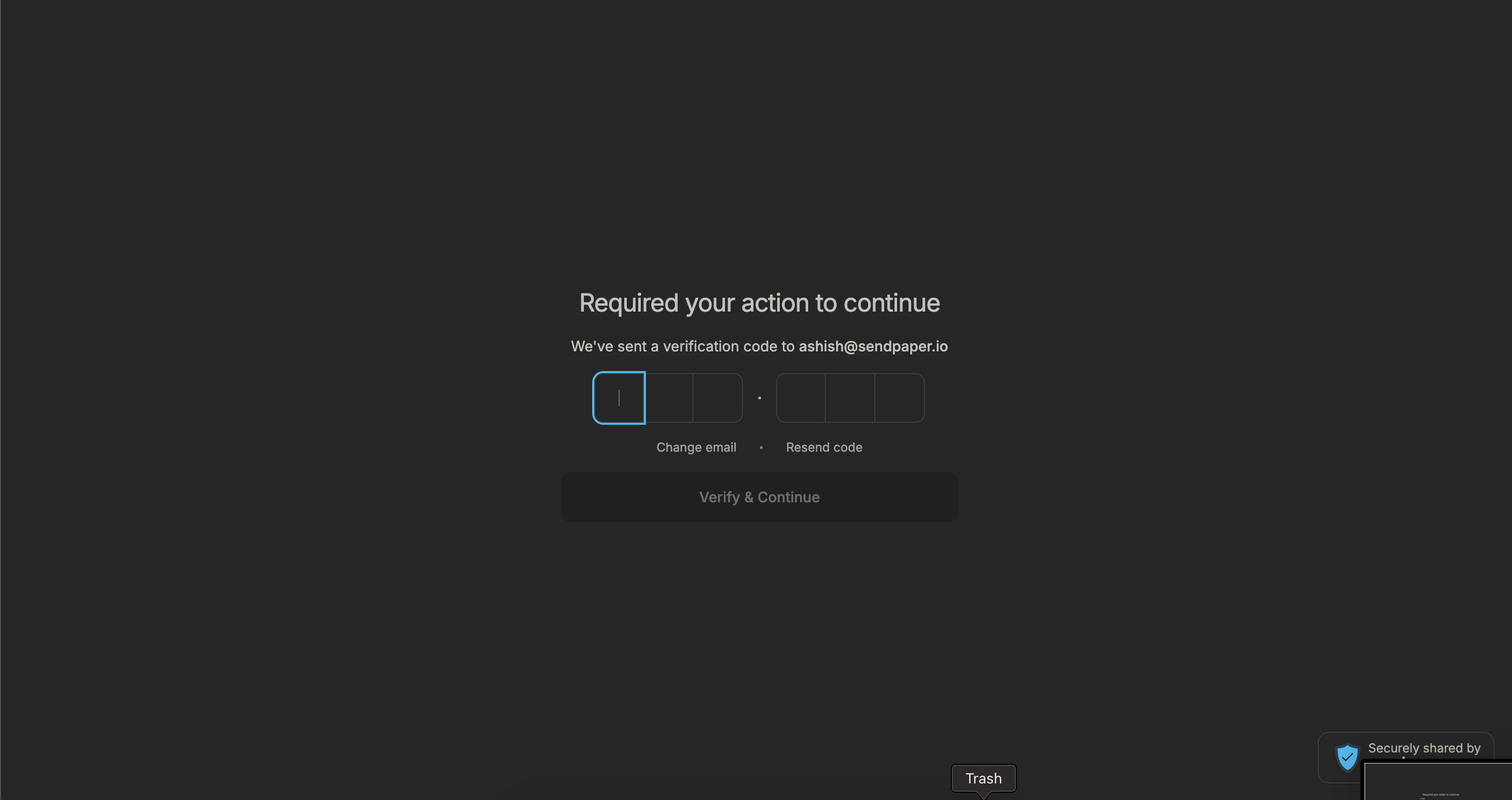
- They enter the code in the browser.
- After the code is validated, they can view the document or browse the data room.
You see the verified email in your dashboard and in visit or audit logs, so you know who actually gained access.
What the Viewer Becomes After They Authenticate
Once a viewer passes email authentication, they are treated as that verified viewer for that link. In your product, that means:
- They are identified by that email. Every view, page open, or download for that link is attributed to that email in your analytics and recent visits. You see who (by email) looked at what and when.
- In audit logs and visit history, they appear as a viewer whose email was verified. So you get a clear record: this email authenticated and then accessed the document or data room.
So “viewer” after email auth means: a person who proved they control that email and who is now tracked and logged under that identity for that link.
Single Document vs Data Room
The same flow applies to both: a link to one document and a link to a full data room can each have email authentication turned on at link-creation time. The viewer experience is the same (email → code → view). For data rooms, once they are in, they only see the folders and files that the link allows; the email check is the gate before any of that.
Open Source
Sendpaper is open source. You can inspect how email authentication and OTP verification are implemented and run the same flow in your own environment if you self-host.
Summary
Email authentication on a link means every viewer must enter an email and a one-time code before they can view the document or data room. You enable it when you create or edit the link; the full process (email → code → view) is the same for single-document and data room links, and you get a verified email for each view. Sendpaper is open source so you can audit or self-host the implementation.
Get started with Sendpaper to add email authentication to your document and data room links.
Data room demo video
See how to create a data room, upload folders, set permissions, and share one link.
Frequently Asked Questions
Related posts
- Product, GuidesData Room Groups: One Place for Permissions and Analytics | SendpaperUse data room groups in Sendpaper to manage permissions and analytics for investors, buyers, and teams. Create a group once, reuse it on links, and see group-level activity without spreadsheets.
- Product, GuidesHow Sendpaper renders files as images in the viewer (and why it matters) | SendpaperLearn how Sendpaper converts uploaded PDFs into page images for a fast, consistent viewer. We cover what formats can be shown, what processing means, and why a loader appears.
- Product, SecuritySecure PDF Document Sharing: Watermarking, Screenshot Protection, View-Only | SendpaperShare PDFs securely with watermarking, screenshot protection, view-only, and one-click agreement. Password and access control in Share Link and Access Control. One sidebar, all options.